


Cast to TV+ Chromecast Roku TV
4.67.01K Reviews
App Specs
- Version
- 12.305
- Updated On
- License
- Free
- Downloads
- 10,000,000+
- Developer
- Castify
- Categories
- Video Players & Editors
- Platform
- Android, iOS
Screenshots
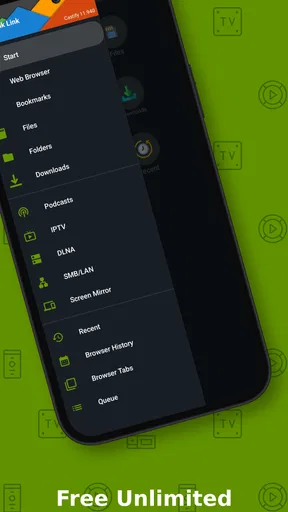
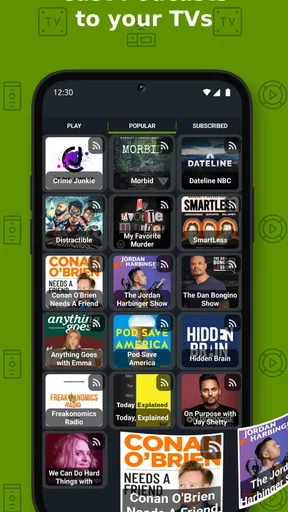
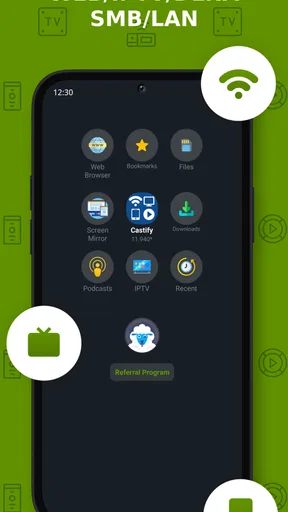
 Analysis by AppCompare
If you're like me, you've probably found yourself scrolling through countless apps trying to find that one perfect tool to stream content from your phone to your TV. Enter Cast to TV+ Chromecast Roku TV. This app promises a seamless experience, allowing you to broadcast your favorite shows, movies, and even personal videos to a bigger screen. But does it really live up to the hype? Let's dive in and find out.
Setting Up: Easier Than You Think
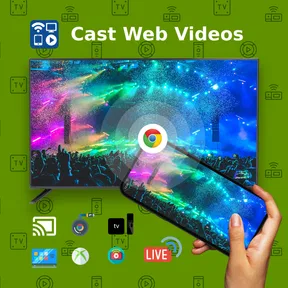
Getting started with Cast to TV+ Chromecast Roku TV is a breeze. Once you download it from the App Store or Google Play, the app guides you through a quick setup process. As someone who's not exactly tech-savvy, I appreciated the straightforward instructions. The app automatically detects available devices on the same Wi-Fi network, which means you can connect to your Chromecast, Roku, or other compatible devices in no time.
User Interface: Simple and Intuitive
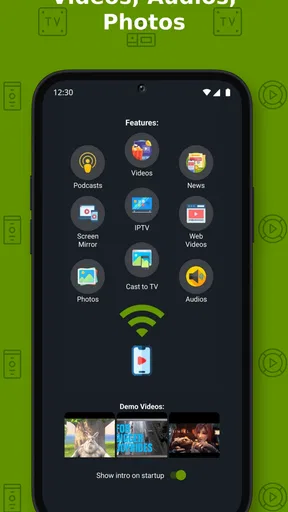
The user interface is clean and intuitive. Everything is laid out in a way that makes navigation effortless. The main menu provides easy access to your media library, and the options are clearly labeled, so you know exactly where you're heading. I found it refreshing not to have to dig through layers of menus just to find what I needed.
Streaming Quality: Crisp and Clear
Now, onto the most important part – the streaming quality. I tested the app with a variety of content, from high-definition movies to vacation videos, and the results were consistently impressive. The video quality was crisp, and there was no noticeable lag or buffering. This is especially important when you're in the middle of a gripping scene and can't afford any interruptions.
Compatibility: More Than Just Chromecast and Roku
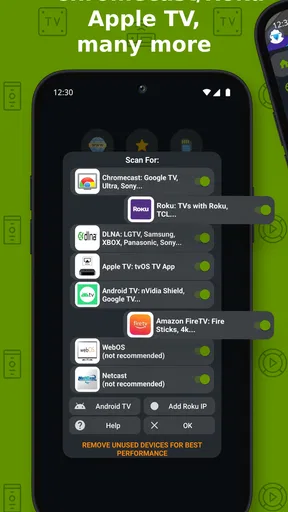
One of the standout features of this app is its wide compatibility. Apart from Chromecast and Roku, it supports a range of other devices, including Fire TV and DLNA. This versatility is a huge plus for households with different streaming setups. I tested it with my Fire TV, and the experience was just as smooth as with the Chromecast.
Extra Features: A Little Something for Everyone
In addition to basic casting, the app comes with a few extra bells and whistles. You can create playlists for continuous streaming, which is perfect for binge-watching your favorite series. There's also a handy subtitle feature, making this app a great choice for international content lovers. I was pleasantly surprised by the subtitle support, as it worked seamlessly with various languages.
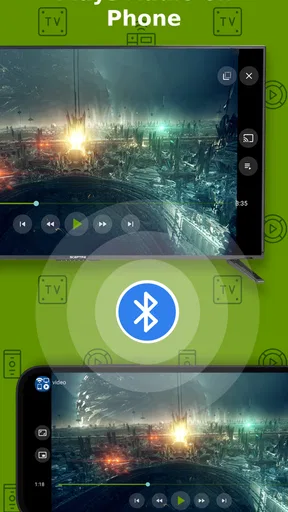
Another cool feature is the ability to use your phone as a remote control. I found this particularly handy when I couldn't locate my actual remote (which happens more often than I'd like to admit). Just a few taps on my phone, and I was back in control.
Worth Reading Before You Choose

EA SPORTS FC Mobile 26 Is a Bigger Football Game, but It Takes Time

Flipboard Shows What News Apps Must Do Beyond the Feed

Switching to Android Auto Means Rethinking Your Driving Routine

Google Calendar Makes a Crowded Week Easier to Manage

Ludo King Makes the Most of the Minutes Between Plans

Baby Panda World Brings Quick Play to Modern Phones, but Its Game Library Feels Busy
Room for Improvement: A Few Minor Hiccups
Of course, no app is perfect. While Cast to TV+ Chromecast Roku TV performs admirably, I did encounter a couple of minor issues. Occasionally, the app would take a moment longer to connect to the TV than expected. Although this wasn't a huge deal, it did make me a bit impatient when I was eager to start watching.
Additionally, while the app supports a wide range of file formats, some less common ones might not be compatible. This isn't a deal-breaker, as most popular formats are supported, but it's something to keep in mind if you have an eclectic media collection.
Final Thoughts: A Must-Have for Streamers
All things considered, Cast to TV+ Chromecast Roku TV is a fantastic app for anyone looking to enhance their streaming experience. It's user-friendly, versatile, and provides excellent streaming quality. Whether you're a movie buff, a series binger, or someone who just likes to share personal videos with family, this app has got you covered. Give it a try, and you might just find it's the streaming companion you never knew you needed.
Ready to transform your viewing experience? You can find Cast to TV+ Chromecast Roku TV on both the App Store and Google Play, so go ahead and download it today. Happy streaming!
Pros
- Easy setup with Chromecast and Roku.
- Supports a wide range of file formats.
- Stream content in high quality.
- User-friendly interface.
- No noticeable lag during casting.
Cons
- Limited free version features.
- Ads can be intrusive at times.
- Occasional connectivity issues.
- May require in-app purchases.
- Not compatible with all devices.
FAQs for Cast to TV+ Chromecast Roku TV
What devices are compatible with Cast to TV+ Chromecast Roku TV?
Cast to TV+ Chromecast Roku TV is designed to work with a variety of devices including Chromecast, Roku, and most smart TVs that support casting. Ensure your device is connected to the same Wi-Fi network as your phone or tablet for seamless streaming. Compatibility may vary based on your TV model and firmware version.
Is there a subscription fee for using Cast to TV+ Chromecast Roku TV?
The app offers a free version with basic features, but there may be in-app purchases or subscription options available to unlock premium features. These can include ad-free experiences, enhanced streaming quality, and additional functionalities. Check the app store for detailed pricing information and choose the plan that best suits your needs.
Can I cast content from all apps using Cast to TV+ Chromecast Roku TV?
While Cast to TV+ supports a wide range of media apps, not all apps may be compatible due to restrictions or lack of casting support within the app itself. Popular streaming apps like YouTube and Netflix typically work well, but it's recommended to check individual app compatibility or use built-in casting options where available.
Does Cast to TV+ Chromecast Roku TV support 4K streaming?
The app supports 4K streaming if your device and TV both support 4K resolution. Ensure you have a strong Wi-Fi connection for the best experience, as high-resolution streaming requires more bandwidth. It's also essential to verify that the content you are streaming is available in 4K.
How do I troubleshoot if casting fails with Cast to TV+ Chromecast Roku TV?
If casting isn't working, first ensure that both your device and TV are on the same Wi-Fi network. Restart both devices and your router if necessary. Check for app updates or reinstall the app if issues persist. Consult the app’s support section for specific troubleshooting tips or contact customer support for additional help.


